Your personal reading companion
Pumpkin LibraryA cozy, private home for the books you own and the lines you love in them.
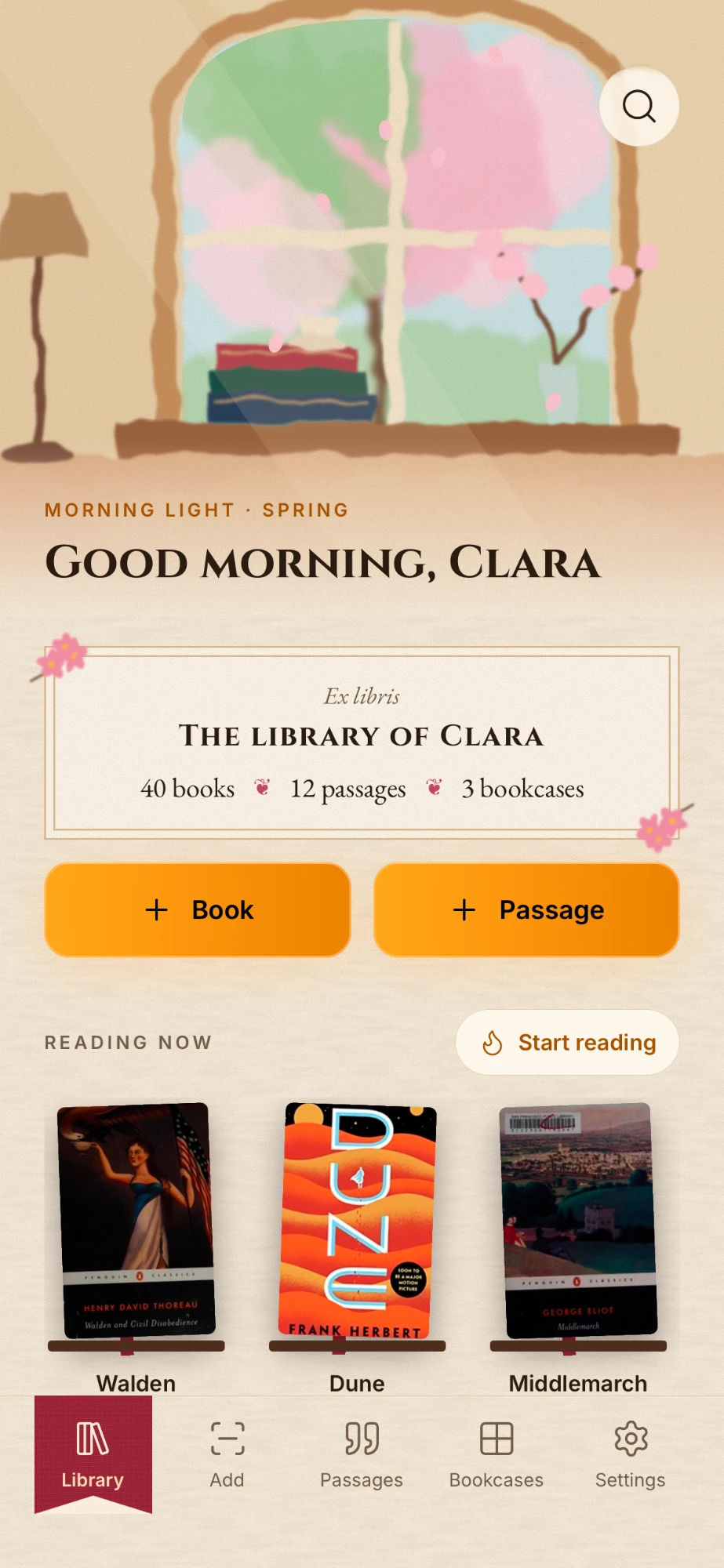
Scan a book's barcode and it lands on a hand-drawn shelf, cover and all. Recreate the bookcases you have at home, cubby by cubby, so you always know where a book lives. Photograph a page, and the passage you love becomes text you can keep.
Free to try. Pro is one purchase, yours for good.
See how it works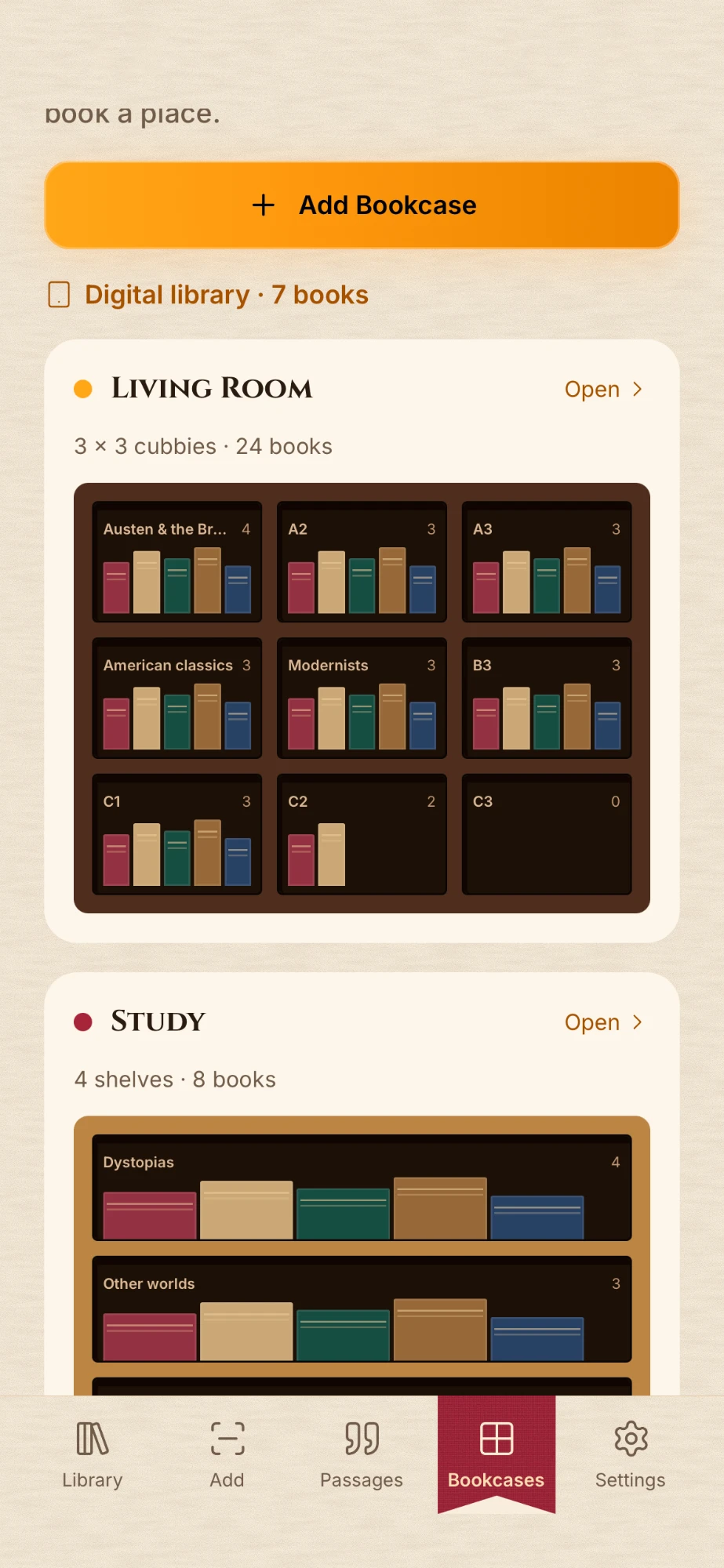
- No account
- No ads
- No tracking
- Works offline
- No subscription
Your shelves
Your shelves, drawn by hand.
Most book apps give you a list. Pumpkin Library gives you the bookcase in the living room, the one in the study and the pile by the bed, drawn the way they really stand.
Scan the whole pile
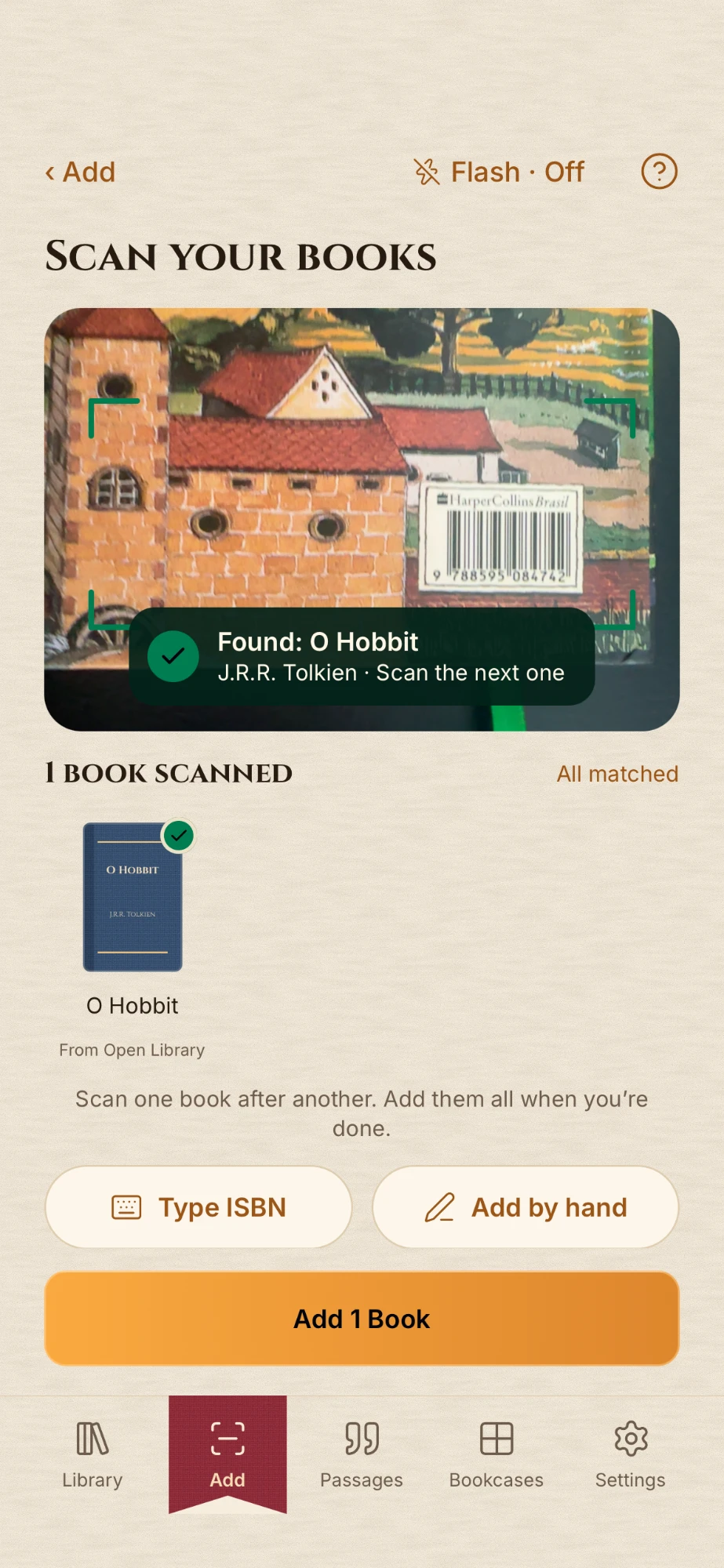
Point the camera at the ISBN barcode on the back. Title, author and cover fill themselves in. Scan one book after another, then add them all at once.
Bookcases that mirror your home
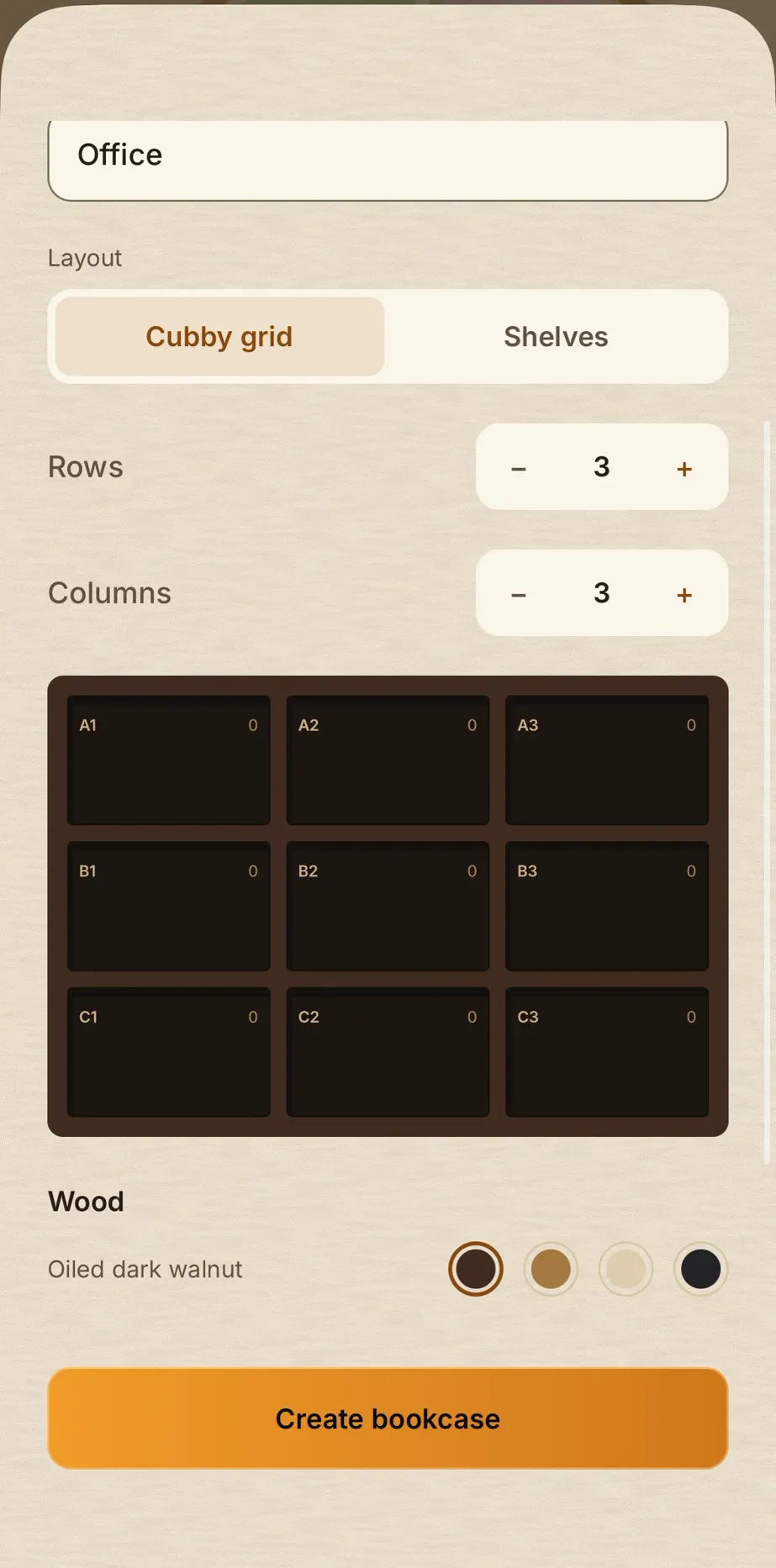
Build each bookcase the way it stands: a grid of cubbies or a stack of shelves, in walnut, oak, birch or ebony. Call each cubby whatever you call it at home.
Give every book a place
Pick the bookcase, then the cubby or the shelf. The app remembers where each book stands, so you don't have to.
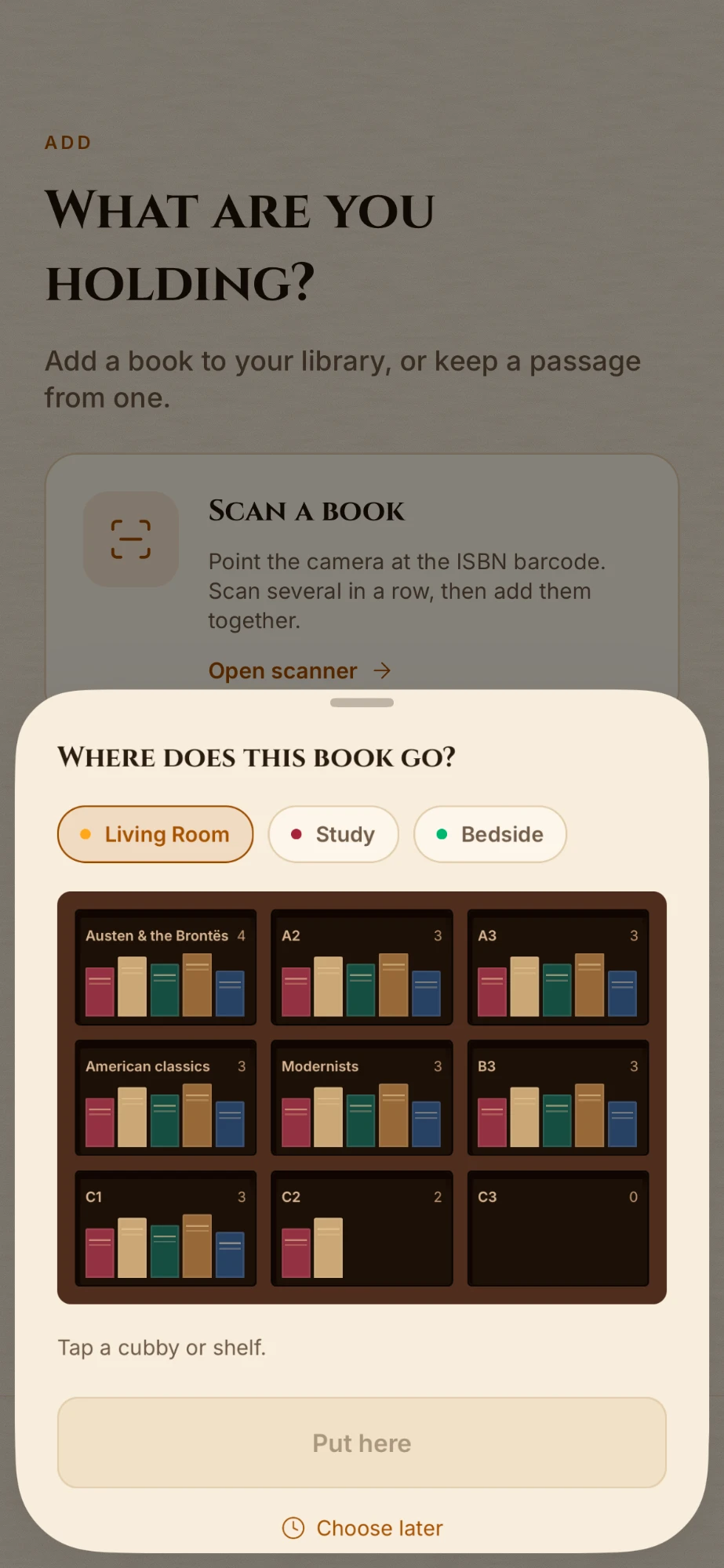
Always know where a book is
Search for a title and see which bookcase and which cubby it's in. Moved it to another room? Move it in the app with a couple of taps.
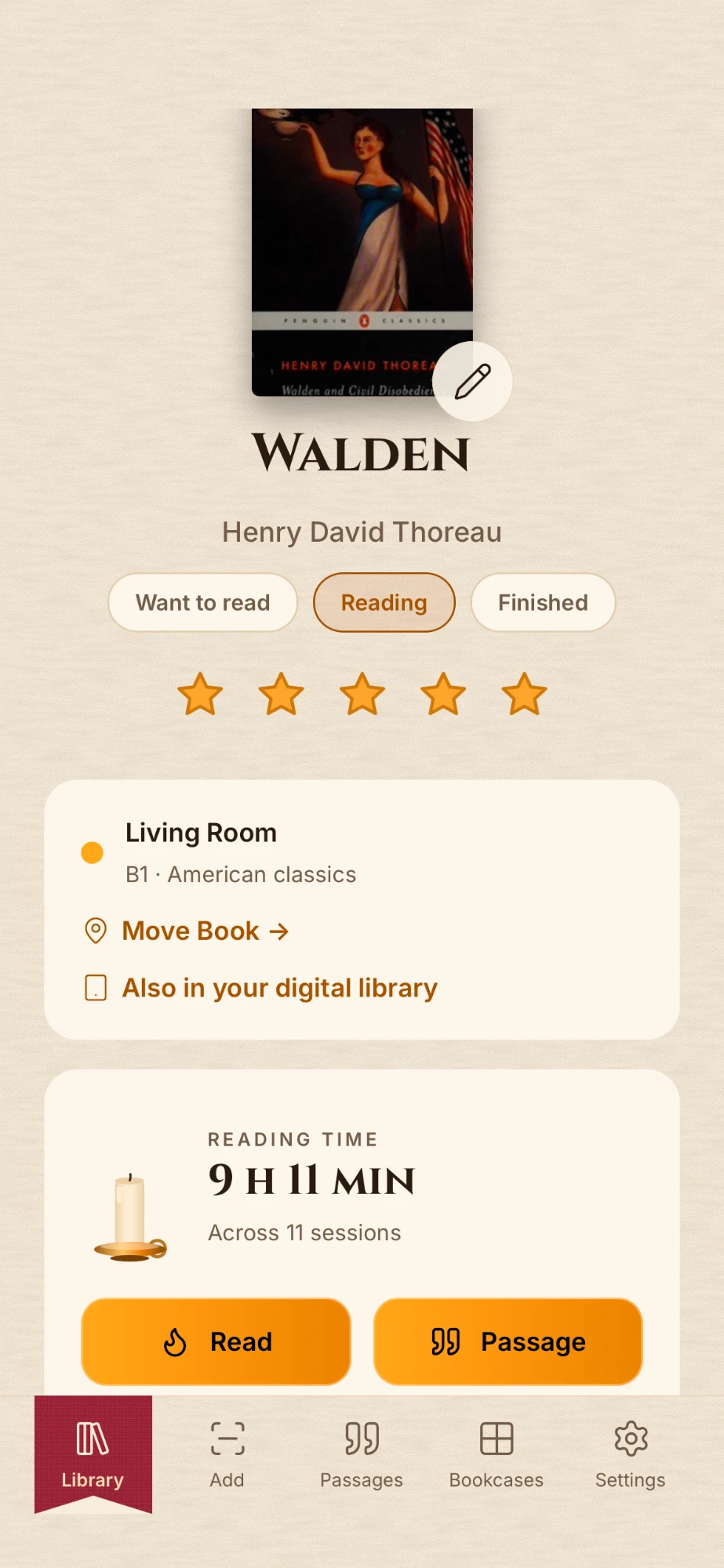
Bring the list you already keep
Import a spreadsheet or a Goodreads export, match its columns, and your books arrive ready to be shelved. E-books can live in a digital library of their own.
Your commonplace book
Keep the passages that matter.
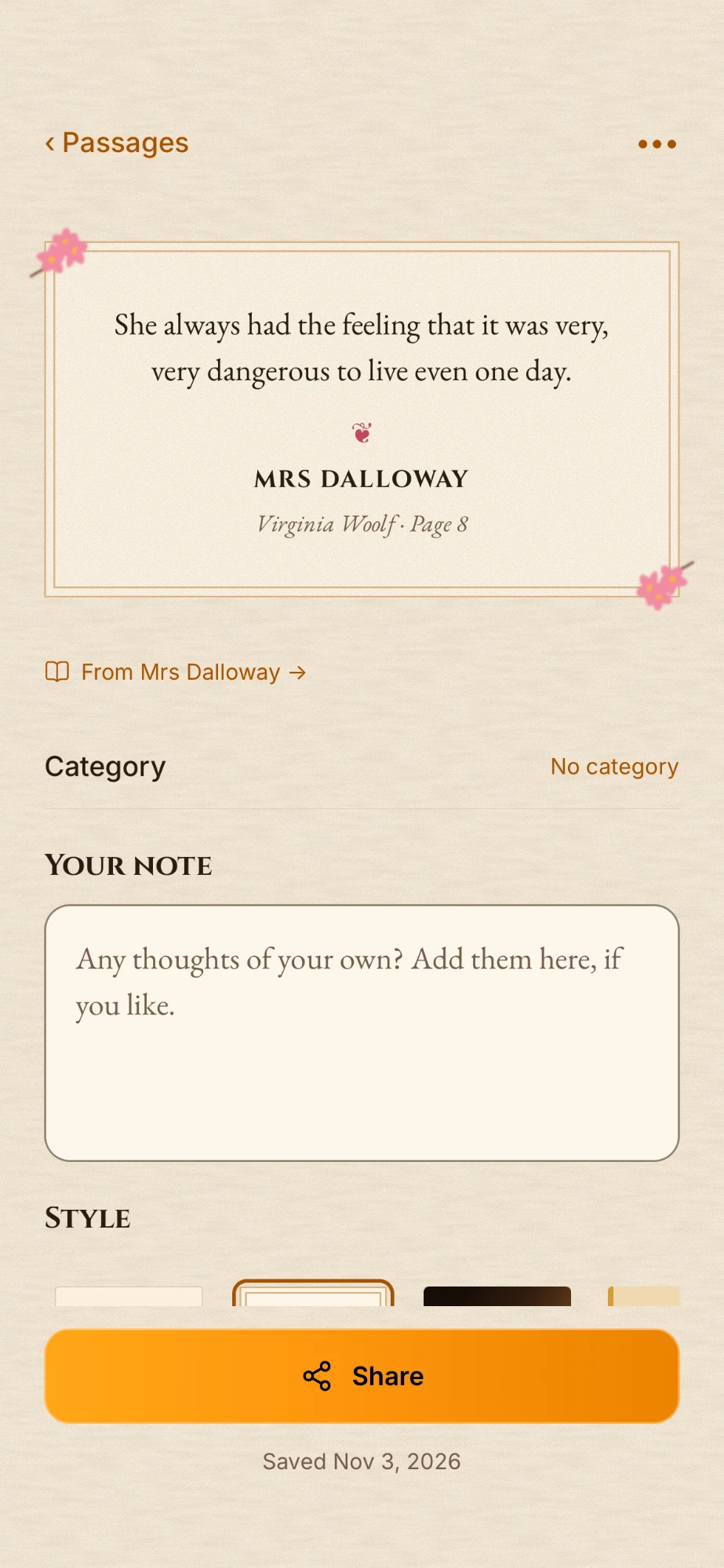
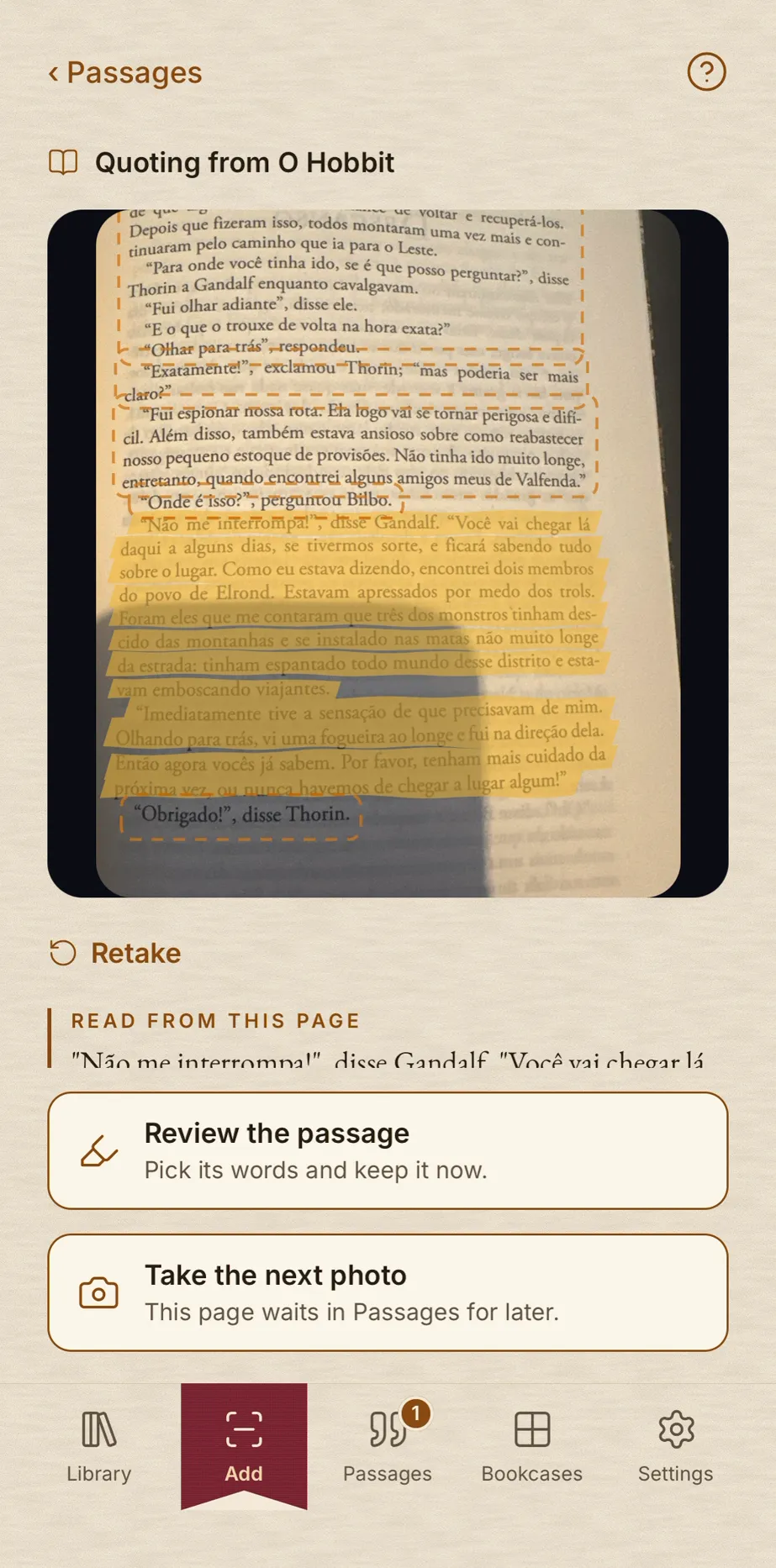
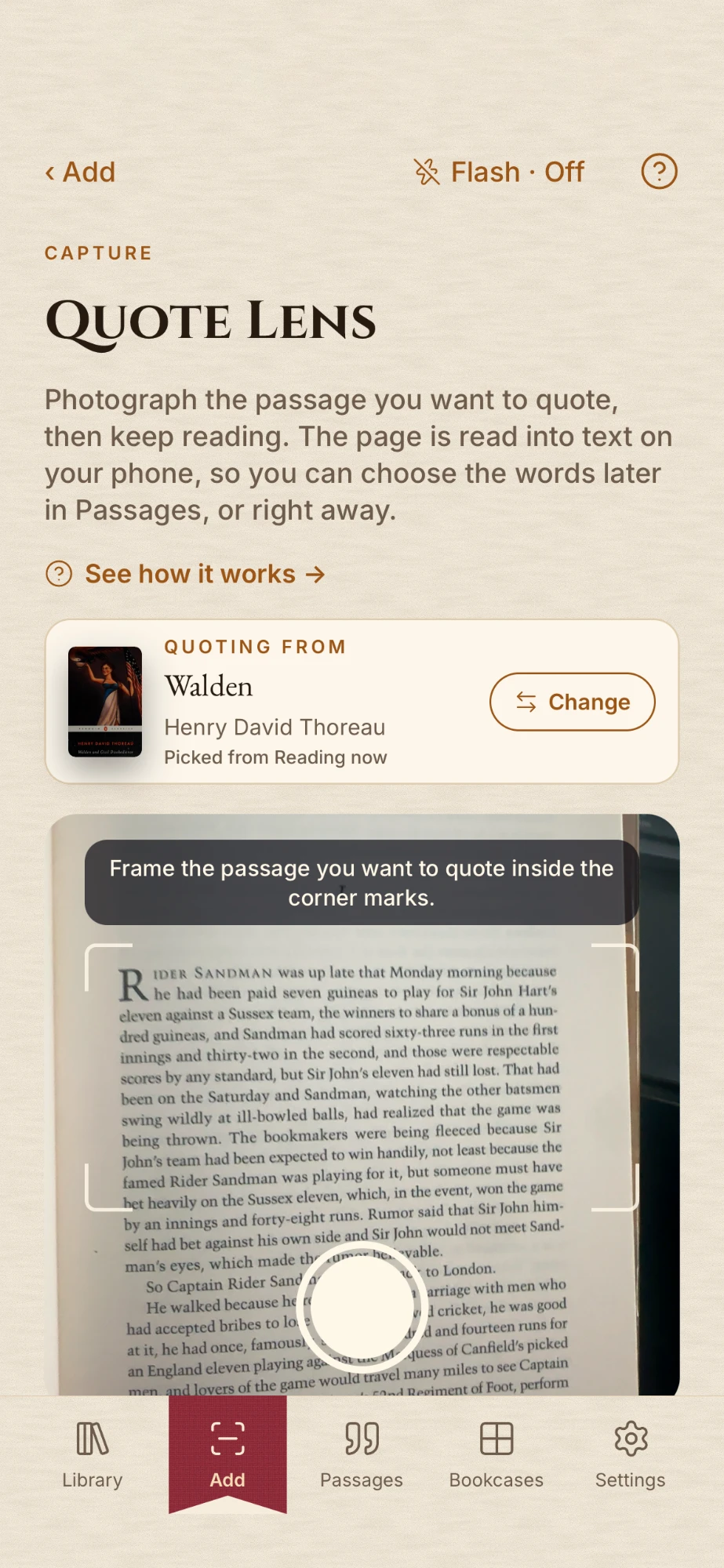
Reading with a pencil in hand? Photograph the page instead. Quote Lens reads the text on your phone, you choose the words you want, and the passage is kept with the book it came from and the page it was on.
Quote Lens
Frame the page inside the corner marks and take the photo. Choose the words right away, or keep reading and choose them later in Passages.
Read on your phone, not in the cloud
The text is recognized on your device, and the photo is deleted once you're done with it.
Notes, categories and search
Add a thought of your own, sort passages into categories, and search all of them at once: by words, by book or by author.
Six styles, ready to share
Dress each passage in a style, then share it as an image, or as a short video for your stories.
I went to the woods because I wished to live deliberately, to front only the essential facts of life, and see if I could not learn what it had to teach, and not, when I came to die, discover that I had not lived.
The six styles
Try them on a passage from Walden.
Your reading room
A reading room of your own.
Open the app and a watercolor window opens with it, painted for the season and the hour. Read by the Paper theme in daylight, or move to the Study when the lamp comes on.
Morning light
A window that follows the seasons
Blossom in spring, falling leaves in autumn, snow in winter. The view changes with the time of day and the time of year.
Golden hour
Paper or Study
Warm parchment pages for the day, or the lamplit Study for the evening. The app can also follow your phone's light or dark setting.
Dusk
Light the candle
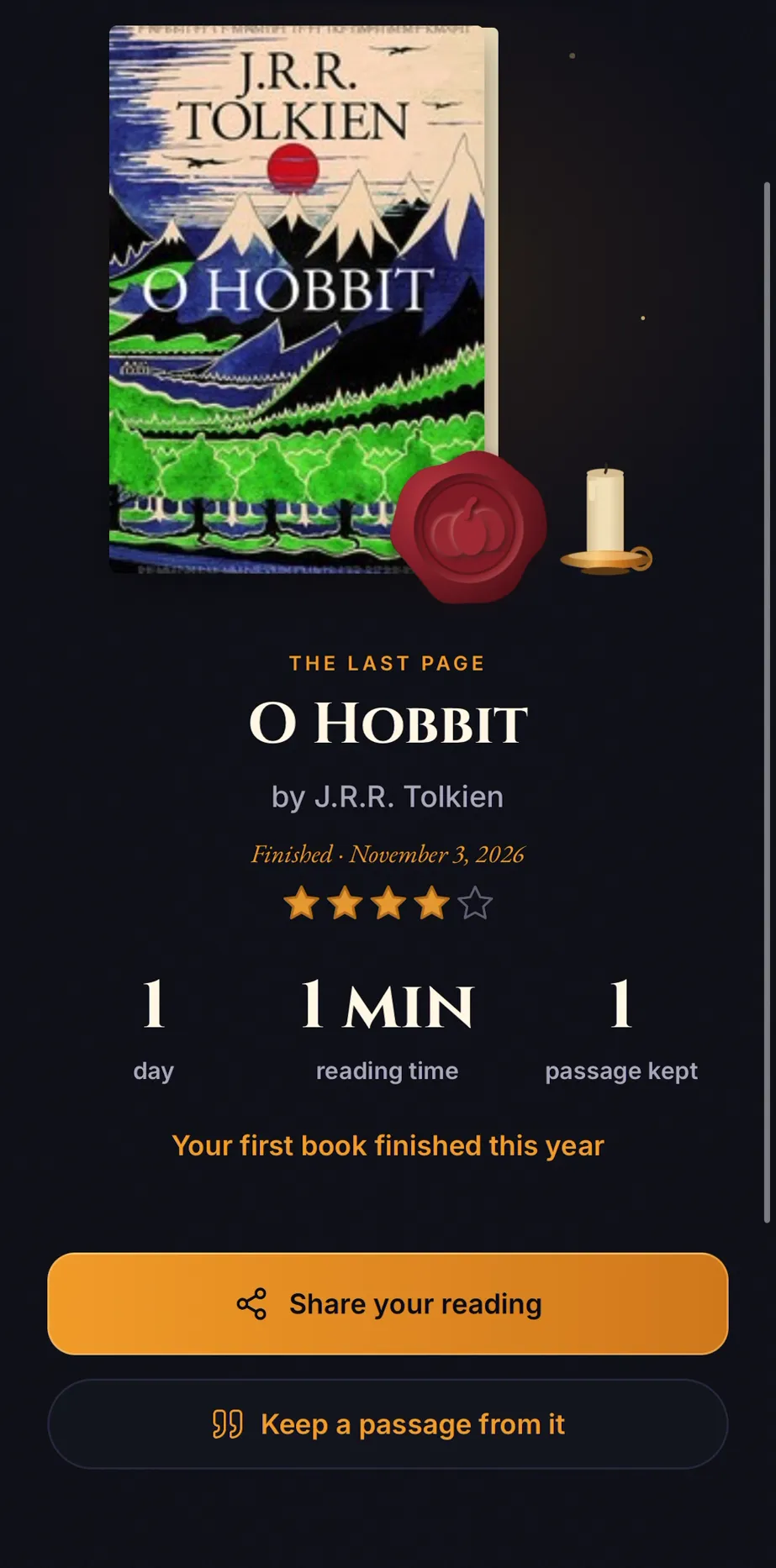
Tap Read when you sit down and the candle burns while you read. Every session is kept, and your reading time adds up book by book.
Lamplight
On your Lock ScreenOnly on iPhone
The reading timer stays on the Lock Screen and in the Dynamic Island while you read.
Private by design
Your library is nobody's business but yours.
There's no account to create and nothing to sign in to. Your books, passages and notes stay on your phone. The app reaches the internet for one thing: the details of a book you look up.
Yours to take with you
Export your library as a CSV or a backup file whenever you like, for free, and restore the backup on a new phone.
Sync through your own iCloudOnly on iPhone
With Pro, your library syncs between your devices through your iCloud account. Not ours.
Try it free, buy it once
Every feature, free to try.
The free version has everything in it, in small quantities. When your library outgrows it, Pumpkin Library Pro is a single purchase. Not a subscription: you pay once and it's yours, with every future update.
To get to know it
Free
Every feature, to see if it fits your shelves.
- 1 bookcase
- 15 books
- 25 passages
- CSV and backup export, always free
One purchase, for life
Pumpkin Library Pro
Everything without limits, for the whole library.
- Unlimited bookcases, books and passages
- Unlimited categories and passage videos
- iCloud sync between your devices (iPhone)
- Every future update included
The store shows the price in your own currency.
Questions
Before you scan the first book.
Is Pumpkin Library a subscription?
No. The app is free to download and try. Pumpkin Library Pro is a one-time in-app purchase that unlocks unlimited bookcases, books, passages, categories and passage videos, for life.
How do I add my books?
Scan the ISBN barcode on the back cover, type the ISBN, or add a book by hand. You can scan a whole stack in one go, then choose where the books go.
Can I import my Goodreads library?
Yes. Export your books from Goodreads as a CSV file and import it into Pumpkin Library. Any spreadsheet works: you match its columns when you import it.
Does it work offline?
Yes. Your library lives on your phone, so you can browse your shelves, read your passages and time your reading without a connection. Looking up a new book's details needs the internet.
Is it on iPhone and Android?
It's on Google Play now and coming soon to the App Store. Everything works on both, except two iPhone-only extras: iCloud sync and the reading timer on the Lock Screen.
Can I move my library to a new phone?
Yes. Make a backup file in the app and restore it on the new phone. On iPhone, Pro also keeps your devices in sync through iCloud.
Which languages does the app speak?
English, Portuguese, Spanish, French, Italian, German and Dutch. Quote Lens reads books printed in the Latin alphabet on both platforms.
Ex libris
Start with the book nearest you.
Download Pumpkin Library, scan its barcode, and watch it land on the shelf.